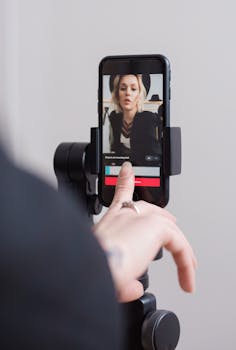
Everyone recognizes how streaming and video content have entered daily routines. Somewhere mid-scroll, digital media trends shape a scroll’s length or a binge-watching weekend.
As digital viewing becomes woven into habits across the US, companies and viewers keep adapting. Audiences regularly seek smarter, more adaptable ways to discover, enjoy, and share stories or live moments.
Here, you’ll find practical strategies and actionable examples exploring the digital media trends that are defining where, how, and why we watch. Let’s dive in for an inside look.
Screen Technology Upgrades That Impact Everyday Viewing
Deciding on screen upgrades creates fresh opportunities for sharper visuals, faster access, and more personalized viewing. These digital media trends directly influence daily experiences and long-term entertainment decisions.
Lighting, picture clarity, and display refresh rates determine how naturally a screen fits into home life. These details change the way every movie or video game feels in real time.
Choosing Screen Size: What to Consider and Why
Bigger isn’t always better. Check room size, viewing distance, and content type before upgrading. Someone who nods, “I want crisp gameplay text,” needs more pixels per inch.
Decide using a practical checklist: Measure the space, test popular sizes in-store, and think about travel versus stationary use. Room glare or window placement alters ideal screen shapes too.
This approach ensures the next device aligns with habits, not just trends. Everyone, from sports fans to film buffs, should prioritize comfort and flexibility for the best experience.
Understanding Contrast Ratios and Color Depth
Contrast and color intensity dictate how lively an image feels, especially with action-packed genres or nature documentaries. Someone commenting, “These colors pop compared to my old TV,” relies on updated specs.
Check manufacturer specs for contrast and brightness ranges. Look for real-world video demos, not just numbers. Testing these settings provides clarity on whether a device matches day-to-night needs.
Matching color preferences and content habits ensures that subtle details or dark scenes look sharp. Try “cinema mode” and adjust for room lighting to achieve this target.
| Feature | Main Benefit | Common Pitfall | Next Step |
|---|---|---|---|
| OLED | Deeper blacks, strong contrast | Potential burn-in | Display dark content; select warranty |
| QLED | Vivid colors, bright pictures | Less black depth | Test in bright rooms |
| High Refresh Rate | Smoother sports, less blur | Minor motion artifacts | Enable game or sports settings |
| HDR Support | Better dynamic range | Limited content | Stream HDR demos |
| Smart Features | More apps, easy updates | Occasional lag | Restart for updates monthly |
Mobile Video Viewing Routines Worth Trying
Focusing on digital media trends for mobile phones results in truly on-the-go entertainment. Adapting viewing behavior to smaller screens delivers new ways to stay connected—wherever you are.
Each time someone queues up clips in the grocery line, they’re reinforcing portable habits. Small adjustments help maximize battery life and enjoyment anytime.
Managing Data and Battery for Longer Streaming
Switch to lower streaming resolutions during commutes. This practical digital media trend not only stretches battery life, but also preserves your data for more content later.
Keep phones cool and brightness down when possible. Following these simple adjustments ensures that long game streams or TV shows won’t abruptly end with a “battery low” warning.
- Use Wi-Fi whenever possible to conserve mobile data and ensure stronger streaming reliability. Settings like auto-connect to trusted Wi-Fi networks help streamline the process in daily routines.
- Adjust video quality down when you expect to stream without access to charge points. Many platforms allow manual toggling—set HD to SD for longer commute viewing sessions.
- Turn on battery saver mode before prolonged playback. This setting lowers background functions, extending usable time when streaming lengthy concerts or movie marathons far from home outlets.
- Carry a slim portable charger for security in unexpected circumstances. Having backup power transforms stuck-in-line waiting into bonus viewing time instead of wasted screen minutes.
- Pre-download favorite content using in-app offline features. This reduces streaming interruptions when entering elevators, tunnels, or low-signal rural areas, so the show continues uninterrupted.
These suggestions improve viewing duration with small adjustments, making mobile entertainment more flexible and reliable for busy schedules or travel days.
Positioning Devices for Optimal Viewing Comfort
Prop devices at eye level using stands or folded cases for reduced neck strain. Consistent comfort supports marathon viewing sessions and reduces hand fatigue, according to digital media trends in ergonomics.
- Choose adjustable stands for variable surfaces—trains, desks, or public benches. Changing viewing angles decreases window glare and makes every episode feel a bit more cinematic outside the living room.
- Activate auto-rotate lock to keep the picture consistent. Unexpected screen flips during action scenes distract even the most focused bingers. Most phones let you toggle this with a quick settings swipe.
- Wipe screens weekly to reduce fingerprints, preserving picture clarity. A quick microfiber pass improves contrast and makes subtitles or fast-moving colors pop for brighter mobile fun.
- Increase text size for subtitles within playback settings. This makes dialogue easier to follow when ambient noise or hand movement distracts during quick viewing moments on the go.
- Try blue light reduction in evening hours. Enabling night shift modes minimizes eye strain after dark, reinforcing healthy sleep habits while keeping digital media trends healthy and enjoyable.
Investing in these adjustments transforms any mobile viewing environment into a more immersive, healthier space for catching every detail—on demand.
Smart TV Features That Make Living Rooms Click
Integrating digital media trends into living rooms with smart TVs delivers faster app switching and tailored content choices. Viewers say, “Switching apps used to mean remote wars; now, it’s a smooth scroll.”
Customizing Smart TV Home Screens for Quick Access
Pin your most-used streaming apps front and center to cut down navigation time. Drag, drop, or rearrange icons so favorite shows require fewer clicks after work.
Many TVs allow hiding unused tiles. Users trimming their menus to just Netflix, YouTube, or Prime consistently save 10–15 seconds per session, streamlining the transition between digital media trends and real-life breaks.
Add a personalized widgets row for instant weather checks or sports scores. This keeps the most relevant info visible and keeps distractions to a minimum when relaxing on the sofa.
Voice Commands for Effortless Search and Control
Try saying, “Play next episode,” or “Switch to HDMI 1,” straight to the remote. Voice controls replace aimless scrolling, especially when hands are full or the remote’s lost between cushions.
Mapping custom shortcuts, such as “News at 7 p.m.” or “Play party playlist,” further tailors smart TVs to household routines. As digital media trends focus on convenience, these features grow more reliable with updates.
Reset voice recognition settings every few months so the assistant understands changes in pronunciation or new room acoustics, ensuring accurate responses every time.
Streaming Reliability Tactics Worth Trying Right Now
Viewing delays or sudden video drops frustrate streamers everywhere. The latest digital media trends encourage step-by-step checks and home adjustments to improve stability instantly.
Actively testing connections and tuning equipment places control in the user’s hands, no matter the internet provider. Consistency is the new standard for video quality.
Diagnosing Buffering and Fixing Lag
Close unused devices and browser tabs on the network. For example, pausing a roommate’s big download can eliminate mid-movie buffering within minutes.
Place routers at room center and above furniture to boost Wi-Fi signals. Avoid wall corners or behind electronics to cut weak spots for clear, smooth streams across all screens.
Use built-in speed test apps to confirm bandwidth matches your current digital media trends. If speeds drop, restart your router nightly and reroute cables for fewer interruptions.
Streaming Subscription Types: Fast Comparison Table
| Subscription Name | Key Feature | Downside | Ideal User |
|---|---|---|---|
| Basic Plan | Lower price, SD quality | Fewer devices, ads | Budget viewers, light users |
| Standard Plan | HD streams, no ads | One device at a time | Solo users, TV fans |
| Family Bundle | Multi-device access | Slightly higher price | Households with kids |
| Premium Plan | 4K Ultra HD | Most expensive | Film enthusiasts, gamers |
| Trial Access | Free sampling, no commitment | Limited time, reduced content | Cautious new users |
Multi-Device Living: Streaming Across Devices Without Losing Place
Digital media trends accelerate the trend of moving from phone to laptop to TV in a seamless flow. Multi-device streaming routines keep stories going in step with daily life.
When a favorite series moves from laptop on the subway to the big TV at home, watching fits around commutes, chores, and breaks.
Picking Up Where You Left Off, Anytime
Most streaming services let users pause content on one device and resume the exact frame on another. Open “Continue Watching” tabs or sync bookmarks between screens nightly.
If family members watch different shows, set up individual profiles per device. For instance, Susan’s profile displays a separate queue, letting her pause anime episodes during chores and switch to dramas later.
Enable app notifications that remind you to finish unfinished titles. This feature prompts gentle check-ins, so digital media trends stay personally relevant instead of just marketing buzzwords.
Organizing Device Priority
Assign main screens by user or activity—kids’ room, workout bike, kitchen recipe display. This guides daily device rotation, maintaining a clear routine and reducing search times.
Add a quick-access profile switch button on all home screens. Streamlining these features supports smooth handovers between screens, like tossing videos from phone to TV before dinner.
Double-check that every device has the latest app updates for compatibility and security. On Fridays, glance at app stores for notification badges or auto-update prompts to keep content playing smoothly.
Personalized Playlists and the Human Side of Algorithms
Viewers who set up custom playlists or favorited genres see more of what matches their moods. Digital media trends highlight these simple tweaks for a friendlier, more intuitive entertainment routine.
Someone exclaiming, “It recommended the exact documentary I wanted,” benefits from smarter curation. Providing feedback, likes, or quick star-ratings shapes tomorrow’s recommendations instantly.
Tweaking Recommendations for Discovery
Click “Not Interested” or rate low when matching content appears off-target. Each interaction fine-tunes the system’s understanding of your preferences, leading to even sharper suggestions with every use.
Create new playlists for moods – “Rainy Day Comedy” or “Monday Motivation.” Sorting titles ensures better variety and avoids stale lineups. Use them during wind-down or wake-up routines daily.
Add reminders or scheduled playback for personal highlights. “Play chill jazz at 8 p.m.” automates entertainment cues and unites digital media trends with productive downtime habits.
Building Shared or Family-Friendly Queues
Invite friends or relatives via platform sharing features. Everyone adds picks to a live playlist, turning solo watching into group movie nights—even when miles apart.
Enable parental guidance locks for profiles dedicated to younger viewers. Setting up family profiles adds another layer of safety, putting parents at ease during school breaks or sleepovers.
Rotate playlist curatorship by week so each household member influences what appears next. This keeps shared routines fresh and exposes everyone to new genres or creators regularly.
Trends Shaping the Next Chapter of Digital Viewing
Reflecting on these digital media trends reveals a web of simple routines and tweaks that elevate everyday viewing. Everything from battery care to playlist building subtly impacts relaxation, discovery, and connection.
Staying mindful of evolving features helps viewers align technology with their tastes, not the other way around. Concrete adjustments to screen choices, streaming reliability, and personalization pay off gradually.
Take inspiration from these real-life examples to enhance your next viewing session. Each small adjustment builds a more enjoyable, flexible, and healthy media experience across every device and setting.